FEATURES Ticketing · knowledge · SLA · extensions

Support starts with tickets. Expand from there.

Email and web ticket intake, departments, priorities, assignments, internal notes, attachments, knowledge base articles, and SLA tracking.

// 01 — TICKETING & COLLABORATION

Three tools behind better support.

Presence, response targets, and customer feedback, built around the ticket workflow.

01 — LIVE COLLAB

Know who's already on it.

See who is viewing a ticket, spot when another agent is typing, and keep internal notes alongside the conversation.

$ feature.collabshipped
02 — SLA TRACKING

Targets your team can track.

Set first-response and resolution targets by department and priority. Use business-hours calendars and reporting to spot breaches.

$ feature.slashipped
03 — CX FOCUS

Feedback without over-surveying.

Send one-click satisfaction surveys after resolved tickets. Use frequency limits, sampling, and low-rating alerts to focus follow-up.

$ feature.cxshipped
// EMAIL INTAKE

Keep the inbox.
Gain the workflow.

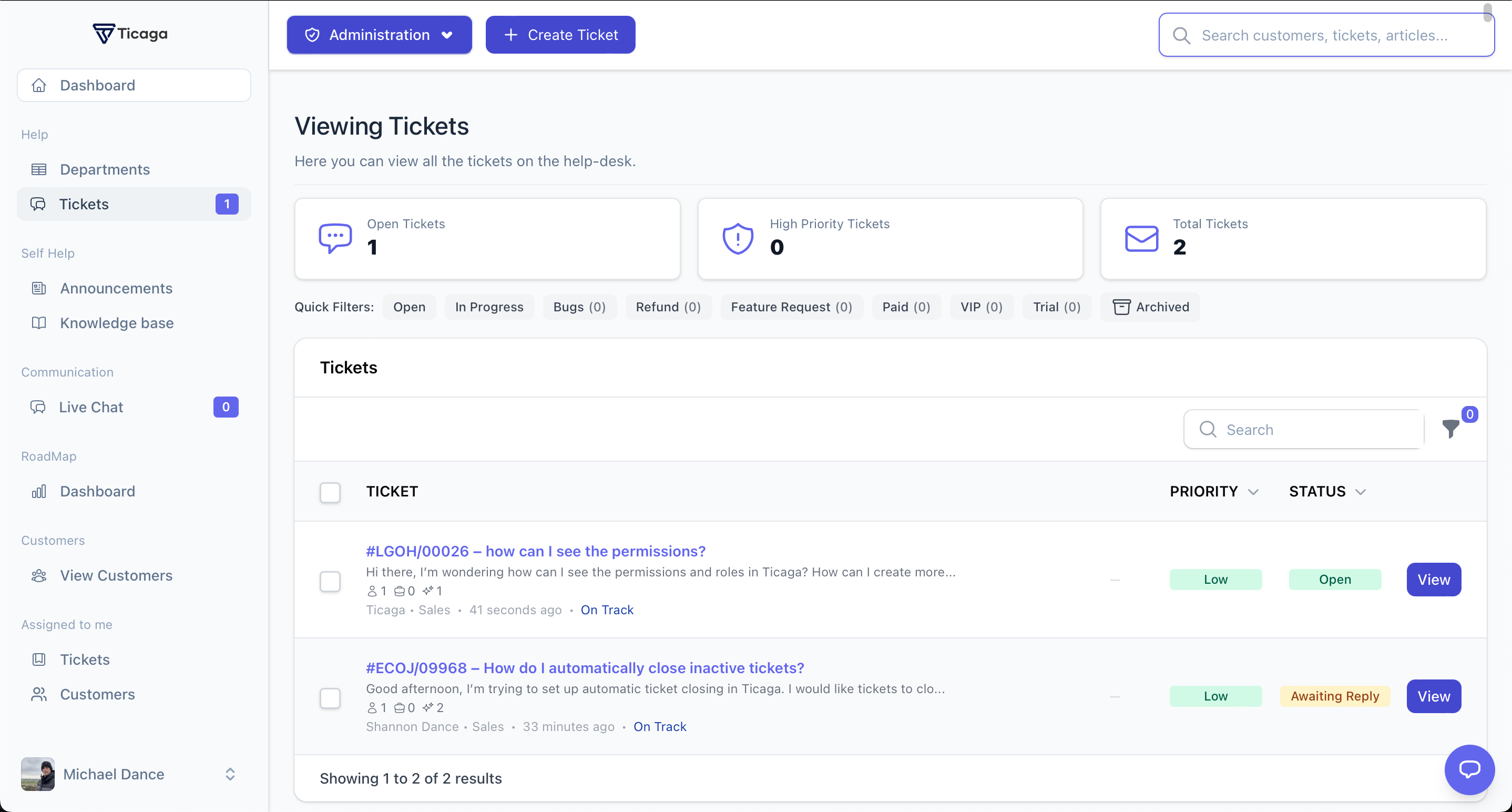
Turn incoming email into organised tickets. Route messages through departments, keep replies attached to the conversation and send from the right support address.
  • IMAP email ticket intake
  • Department-specific mail accounts
  • SMTP replies from Ticaga
  • Email and web tickets in one queue
support.acme.io/tickets
Ticaga ticket inbox showing active requests, priorities and status
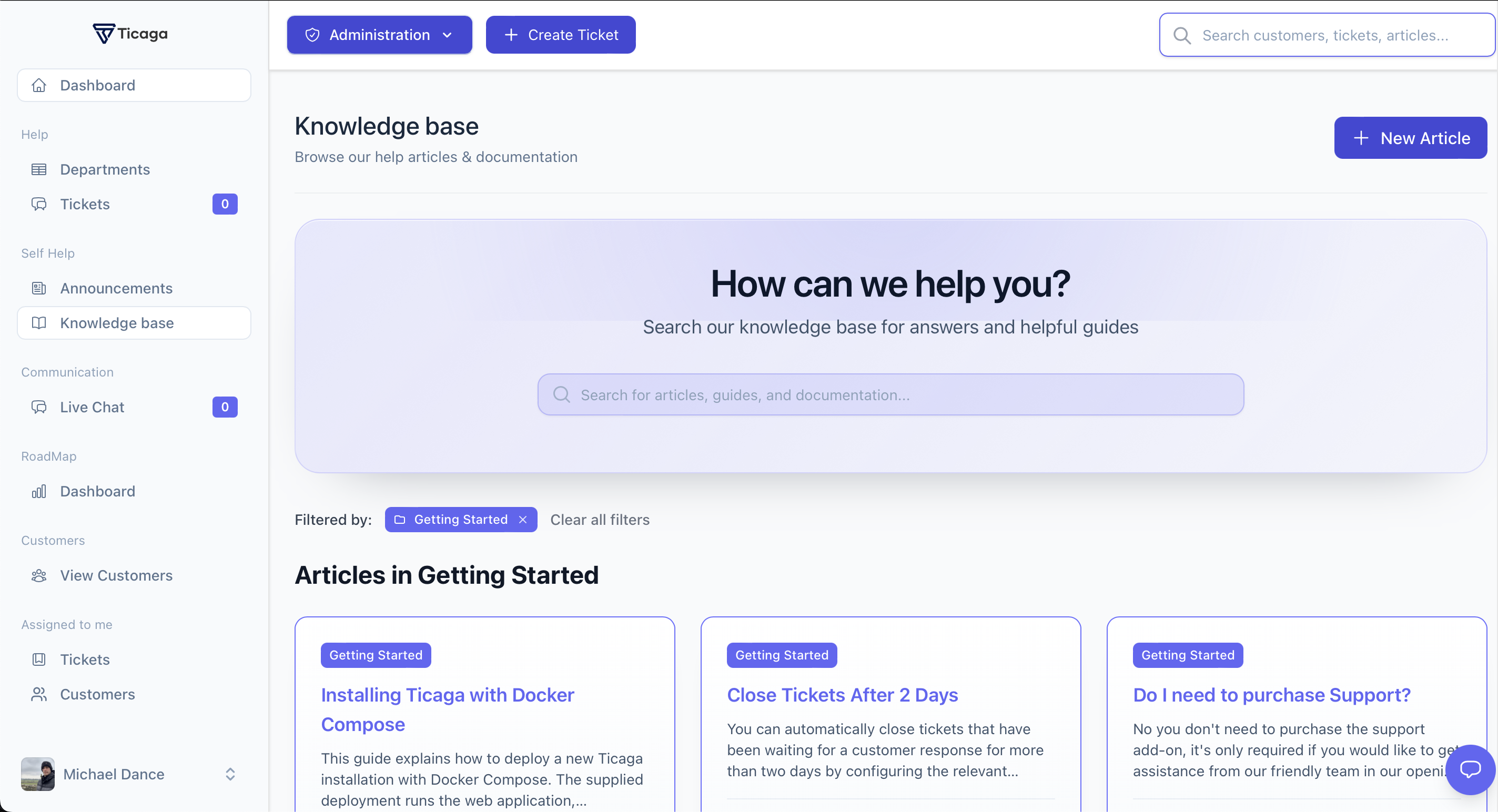
support.acme.io/help
Ticaga knowledge base with article search and Getting Started articles
// KNOWLEDGE BASE

Answer once. Help everyone.

Publish searchable help articles alongside your ticket workflow. Organise content, collect reader feedback and understand which answers are resolving questions.

  • Searchable articles and categories
  • Attachments, tags and related articles
  • Helpful / not helpful feedback
  • Views and article analytics
// IMPORTER

Bring your data.
Choose the route.

Move customers, tickets and responses into Ticaga using CSV files, database connections or supported API imports.
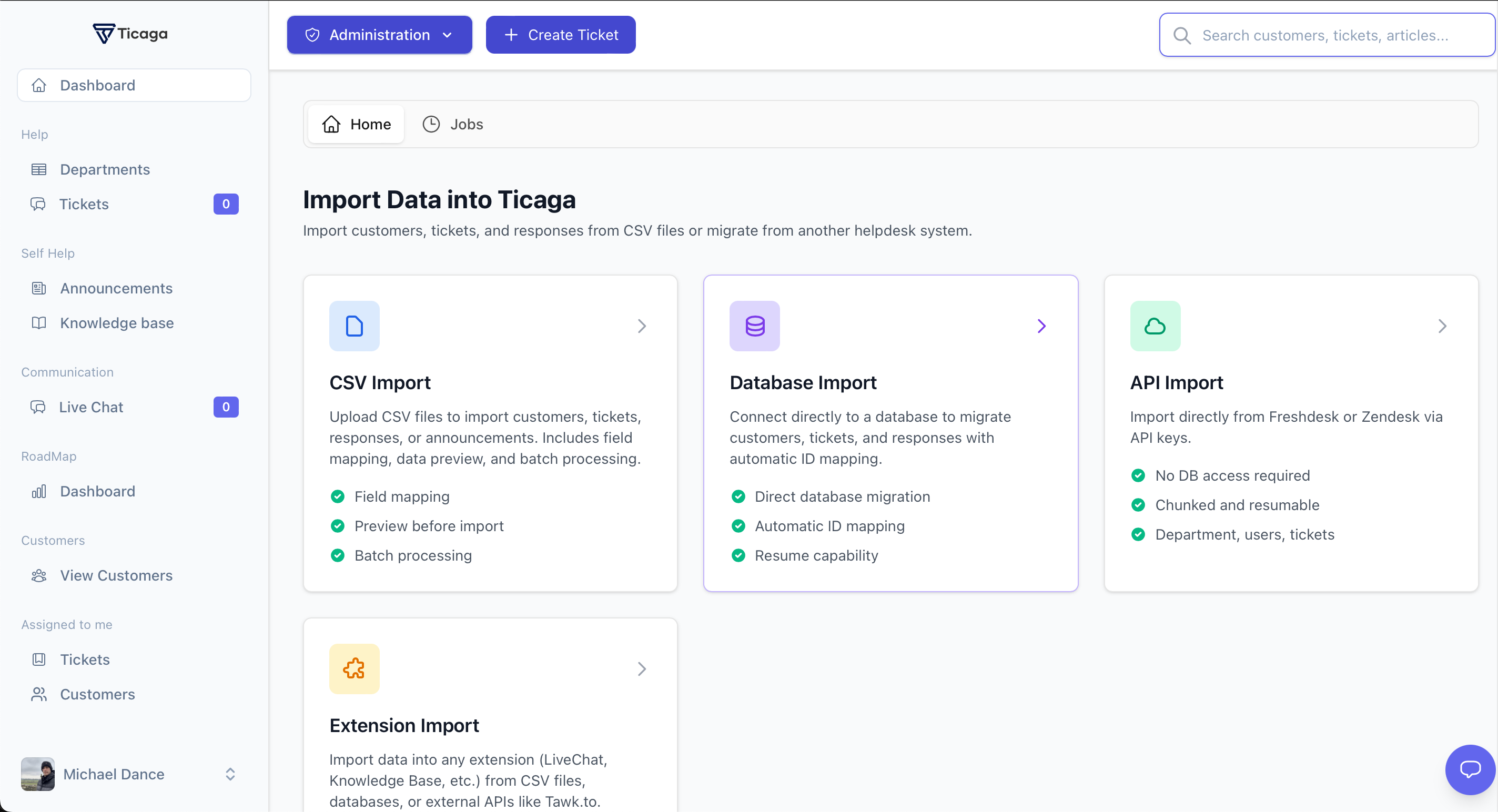
  • CSV import with field mapping and preview
  • Database migration with ID mapping
  • API imports from supported platforms
  • Imports for compatible extensions
support.acme.io/extensions/importer
Ticaga importer showing CSV, database, API and extension import options
// EXTENSIONS

Built to grow. Without the bloat.

Keep the helpdesk focused, then add capabilities as your workflow grows. Install and manage extensions from Ticaga without rebuilding your support stack.

  • @automation Automation Rules — Route tickets, trigger notifications and escalate work using conditions and actions.
  • @fields Custom Fields — Capture order numbers, service IDs or any ticket-specific detail your team needs.
  • @privacy GDPR Tools — Handle consent, data exports, deletion requests and audit records from within Ticaga.
  • @webhooks Webhooks — send signed event payloads to your own systems, with delivery retries when endpoints fail.
$ event: ticket.created
→ endpoint: billing-sync
→ signature: attached
✓ delivered · 200 OK · 184ms

$ event: response.created
→ endpoint: crm-update
→ retrying · attempt 2 of 3
✓ delivered · 200 OK
// READY?

14 days. No card.

Install Ticaga on your server and try the core helpdesk with your team. Choose a licence only when you're ready.