Security by design.
Privacy by default.
Your customers trust you with their information. Ticaga helps you protect that trust and keeps you in control of your data and your infrastructure. This page explains the security features built into the Ticaga software and where to find them in the product.
Data ownership
Ticaga is self-hosted, so tickets, customer records and attachments are stored in the database and storage you run.
Secure authentication
Passkeys, authenticator apps, email codes, breached-password checks and full control over sessions.
Data protection
Fields you mark as encrypted, and selected secrets, are encrypted at rest. Encrypted fields are masked on screen and can be deleted automatically.
Granular permissions
Primary roles, stackable add-on roles and individual permissions, with changes recorded in the audit log.
Responsible disclosure
Independent researchers can report vulnerabilities through our own public bug bounty programme.
Continuous improvement
Signed releases, verified before install, with an automatic backup and rollback.
Stronger sign-in.
Without the friction.
Customers and employees choose how they protect their accounts. Changes to how someone signs in need a fresh, strong confirmation.
Phishing-resistant by default.
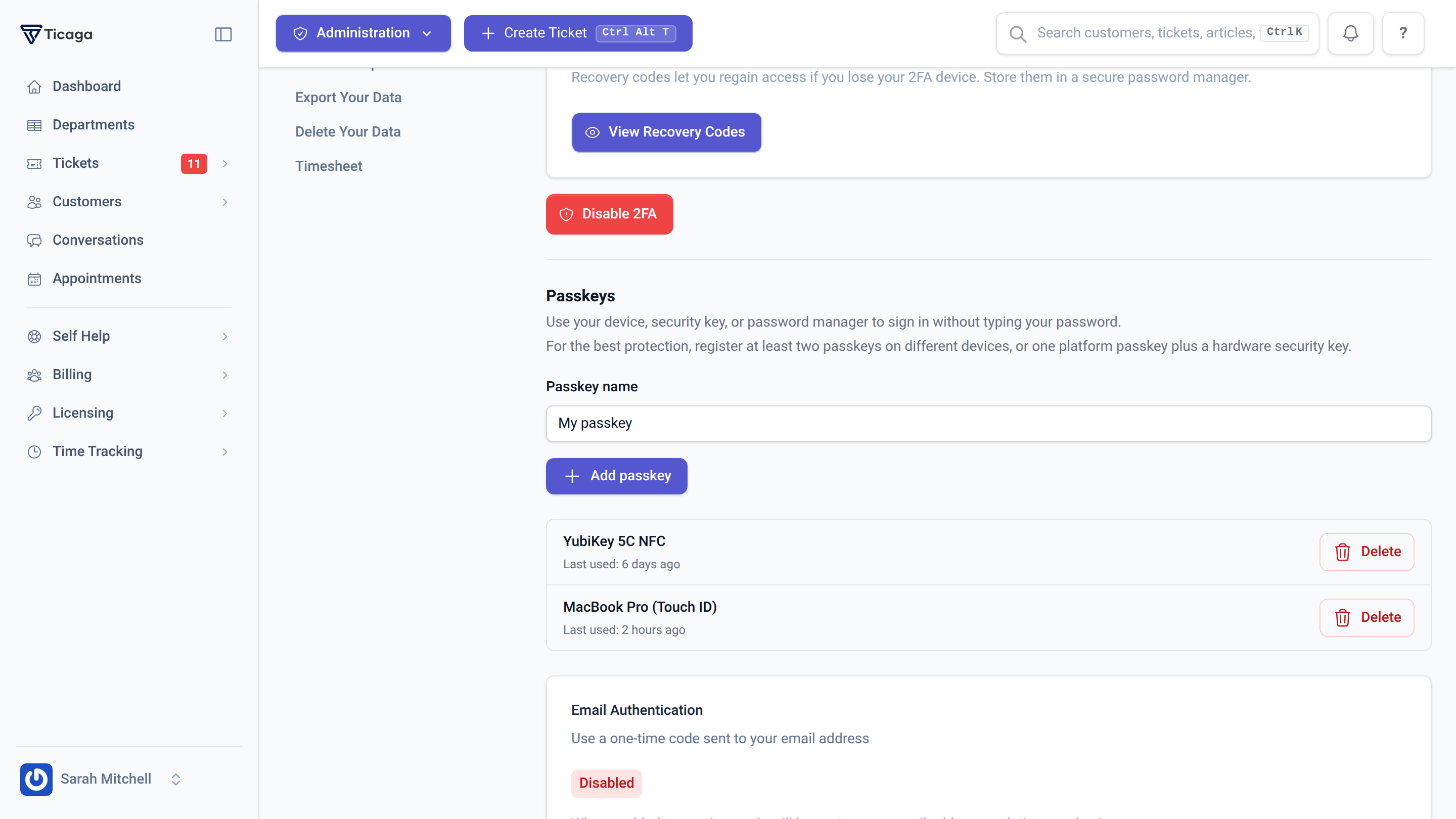
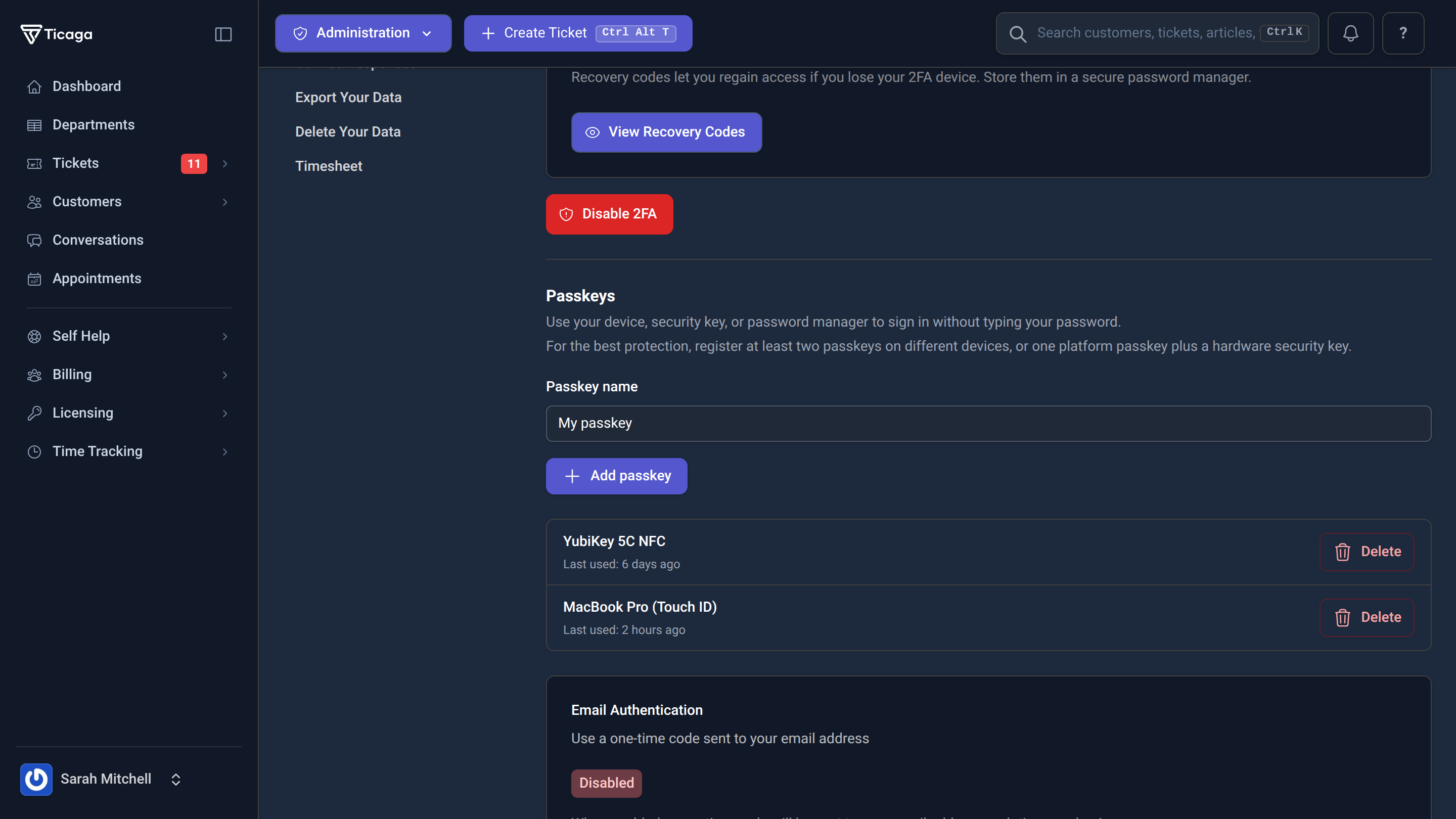
Passkeys use WebAuthn, so users sign in with Touch ID, Windows Hello, a password manager or a hardware security key. The private key stays on their device or security key, and there's no shared secret for a phishing site to capture.
- Passkeys are bound to your helpdesk's own domain
- Authenticator-app (TOTP) codes, with encrypted recovery codes
- Email one-time codes as a fallback second factor
- Adding or removing a passkey needs a strong re-authentication within the last 10 minutes
- Rate limits on login, two-factor and passkey challenges
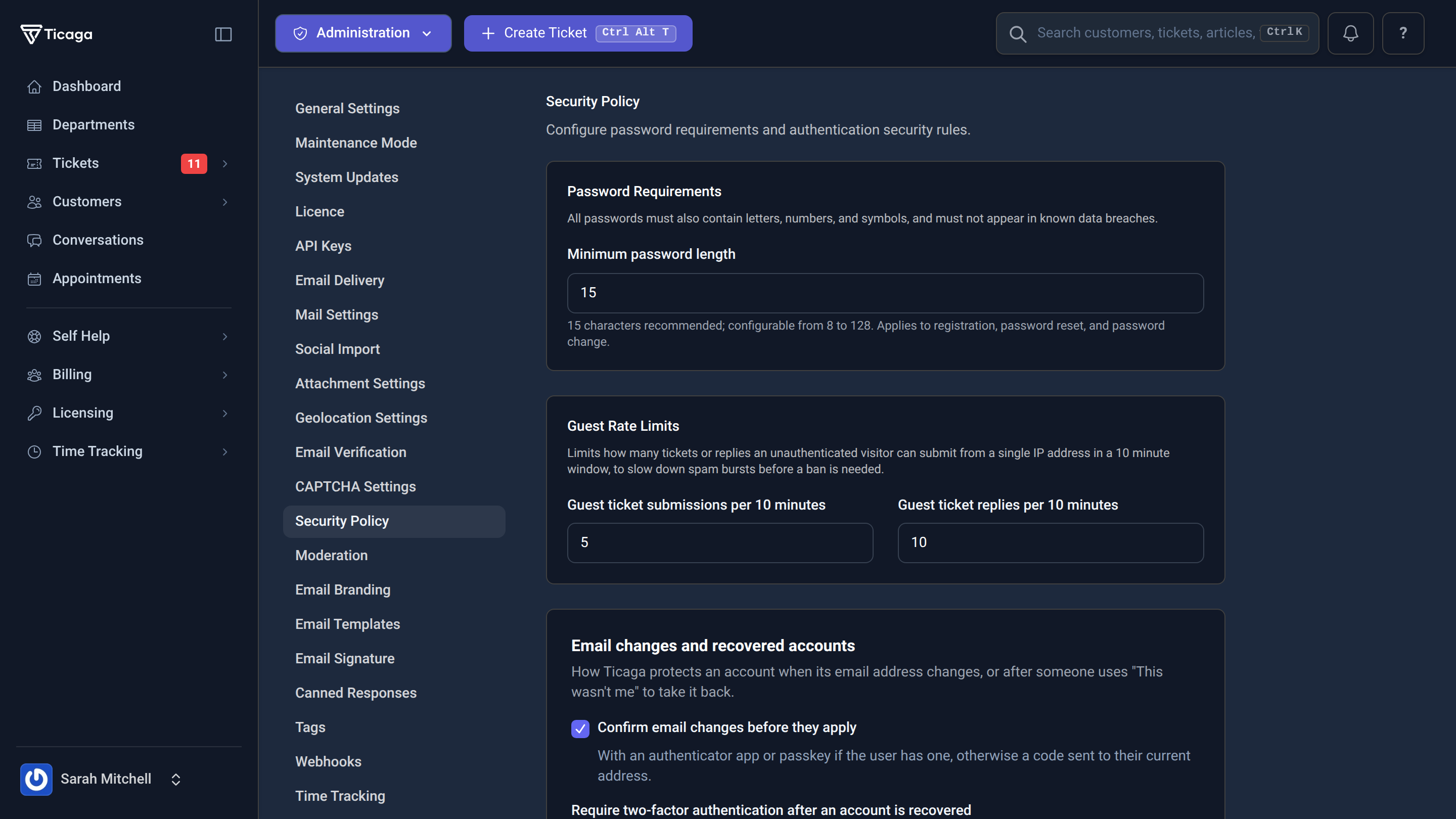
Length-first password rules.
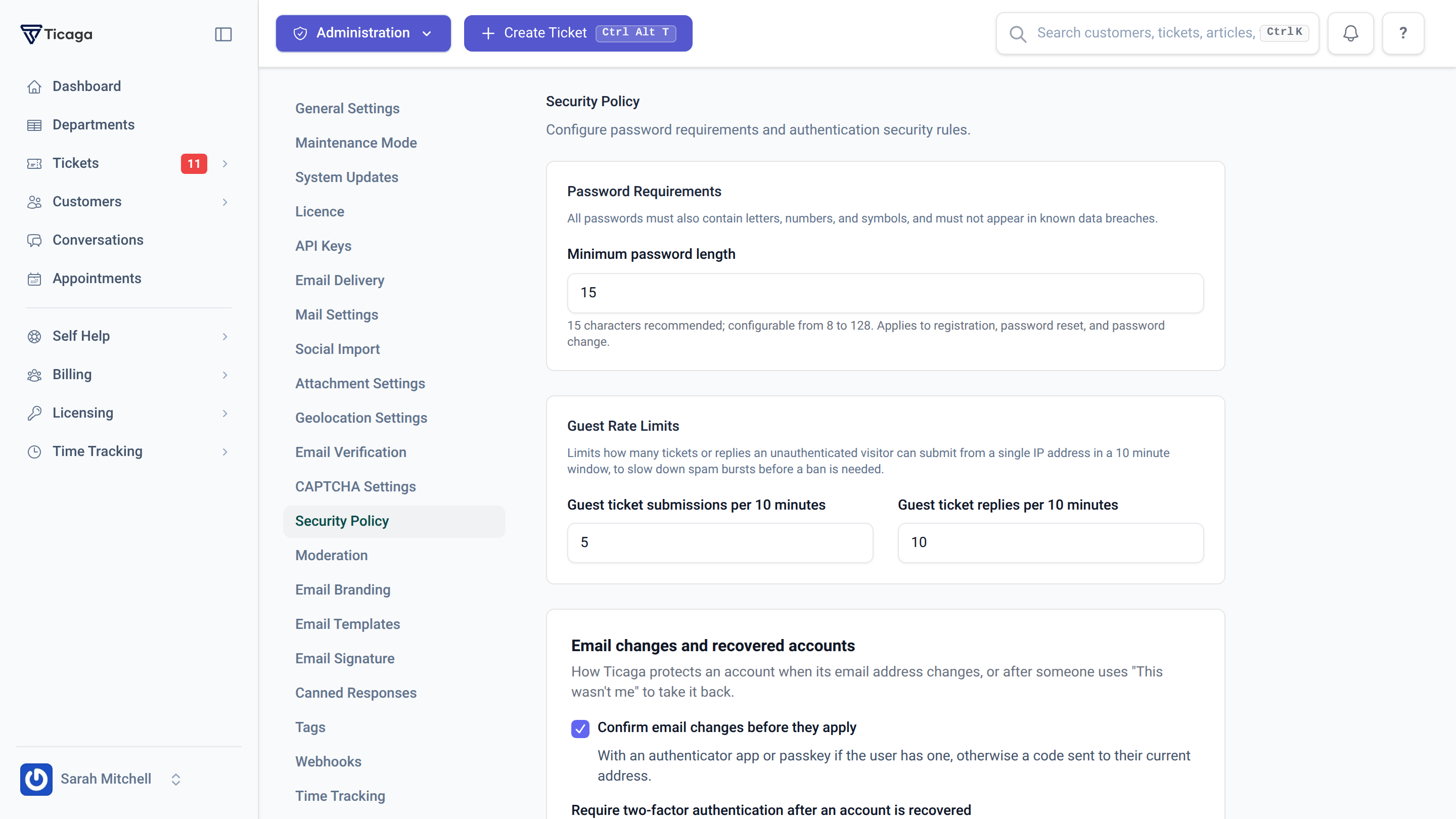
Ticaga favours long passwords over forced rotation, and rejects passwords that appear in known data breaches.
- Minimum length defaults to 15 characters (configurable from 8 to 128)
- Breach check uses k-anonymity, so only a partial hash leaves your server
- Guest ticket and reply limits per IP address slow down spam bursts
- Email-address changes can require confirmation, and the old address gets a "This wasn't me" link
- Recovered accounts can be required to set up two-factor before continuing
Session control
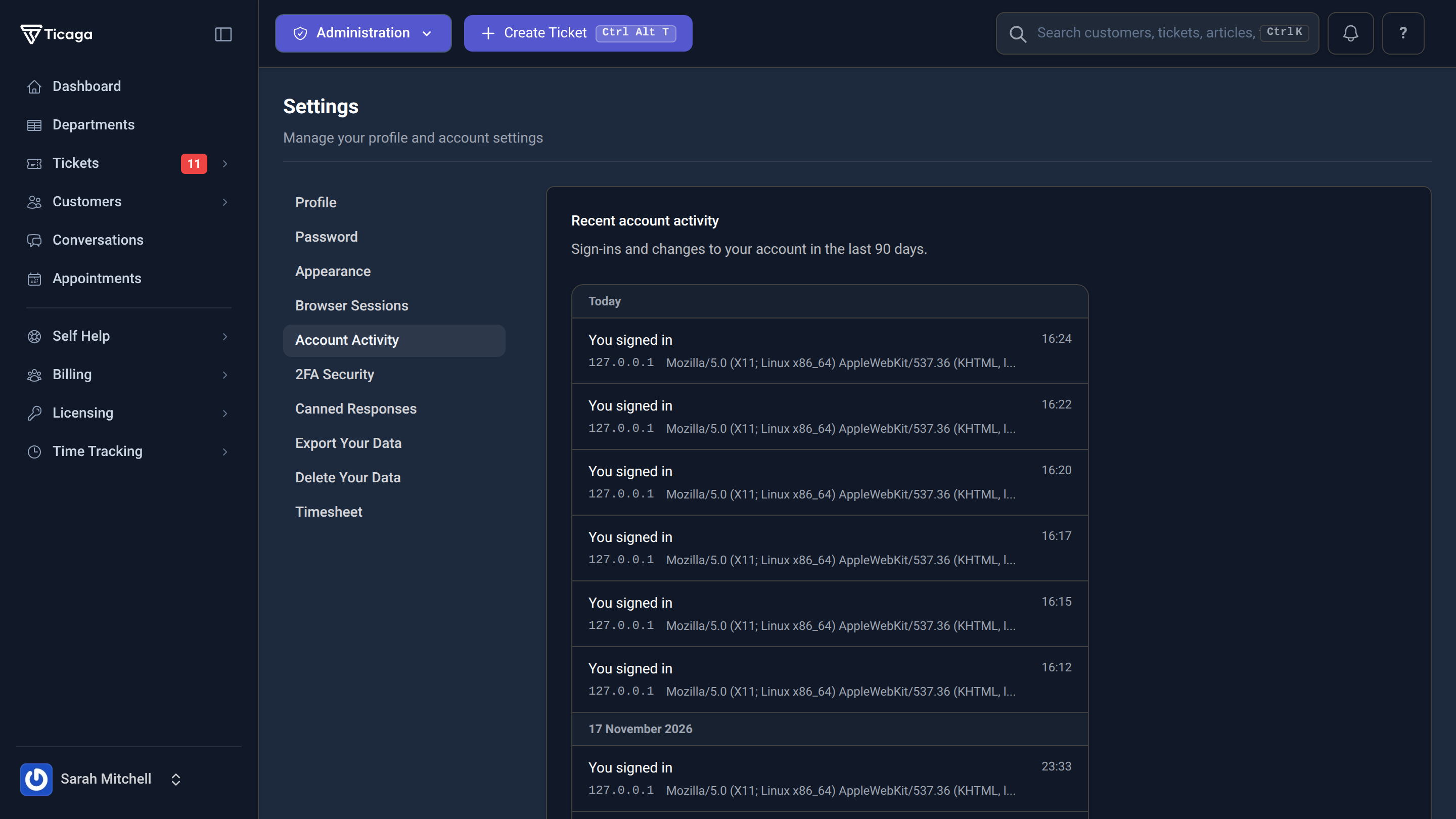
Users can see their signed-in devices, with browser, IP address and last activity, and sign out any one of them (with the default database session driver) or all of them at once.
Idle lock
Sessions lock after a period of inactivity that you set (default 2 hours), and a password is needed to unlock. Sign-ins restored from "remember me" also start locked.
Hardened cookies
Session cookies are HTTP-only and SameSite. They are marked Secure automatically over HTTPS, and session data is encrypted by default in production.
CAPTCHA & SSO
reCAPTCHA, hCaptcha or Cloudflare Turnstile can be switched on per form. Optional social sign-in supports Google, GitHub, Apple, Facebook, LinkedIn and Slack.
Granular access.
Down to the individual action.
Decide what each role can see and do. Permission changes take effect immediately and are recorded in the audit log.
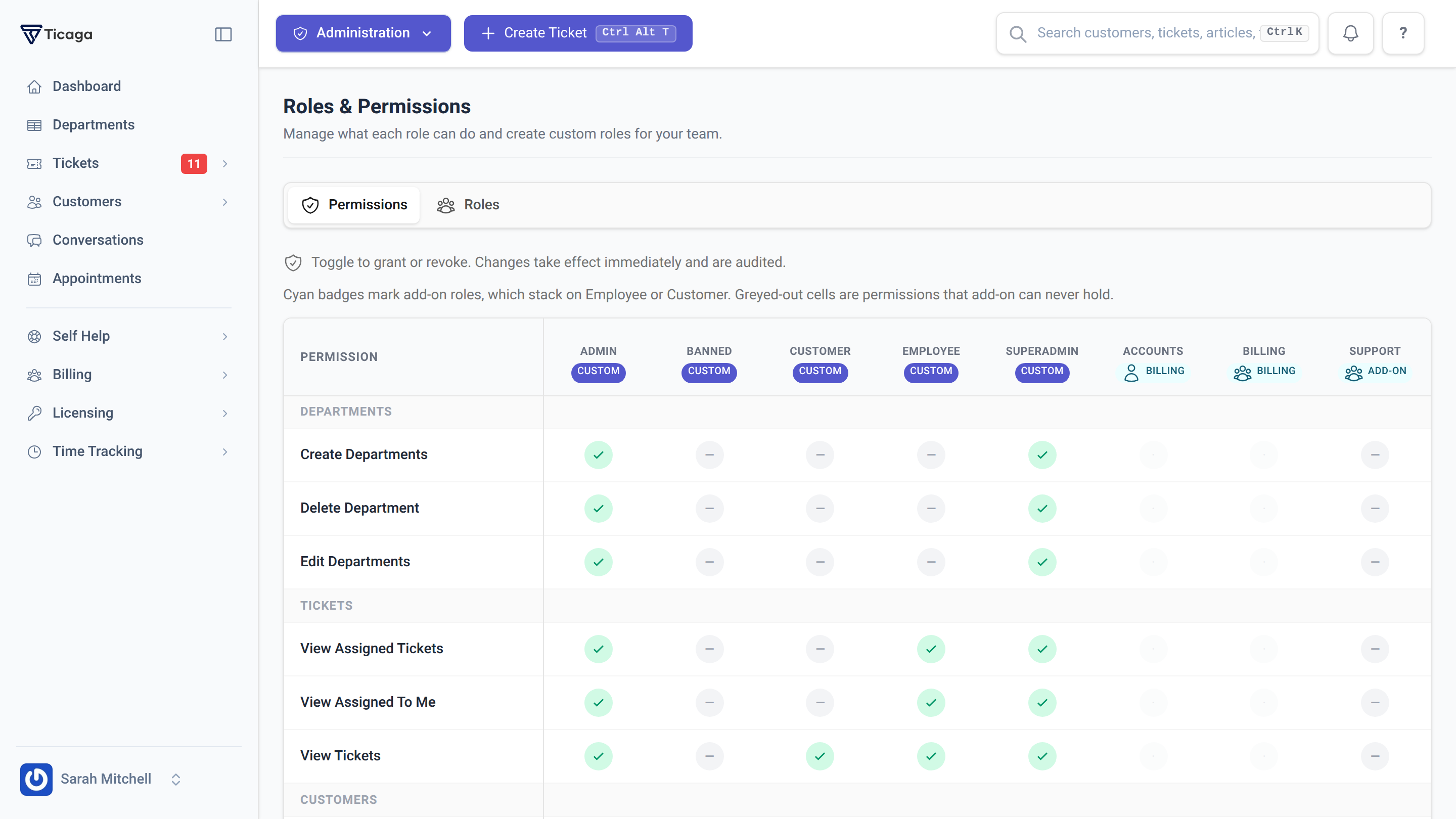
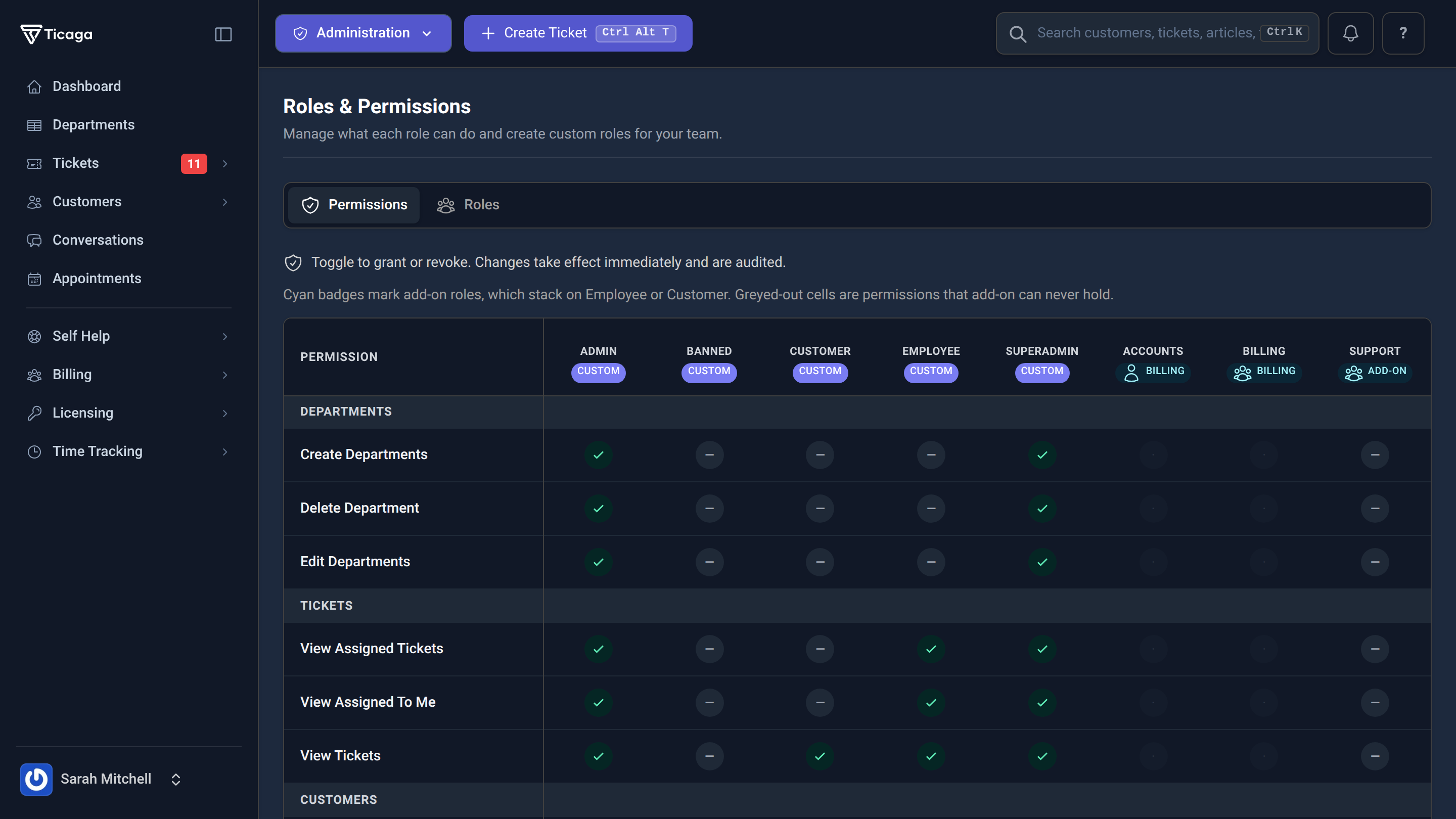
Primary roles
Every account has one primary role: Superadmin, Admin, Employee, Customer or Banned. You can also create custom roles.
Add-on roles
Add-on roles such as Billing or Support stack on top of a primary role. Privileged permissions, such as managing staff or impersonating customers, can never be granted through an add-on.
Checked on the server
Access is enforced on the server, by route middleware and inside individual actions, not just hidden in the interface. Record IDs in interactive screens are locked against tampering in the browser.
Customer privacy
Staff can be limited to the customers assigned to them, or, with the Brands extension, to particular brands. Staff can only impersonate a customer who has allowed it, and the start and end of each impersonation are written to the audit log.
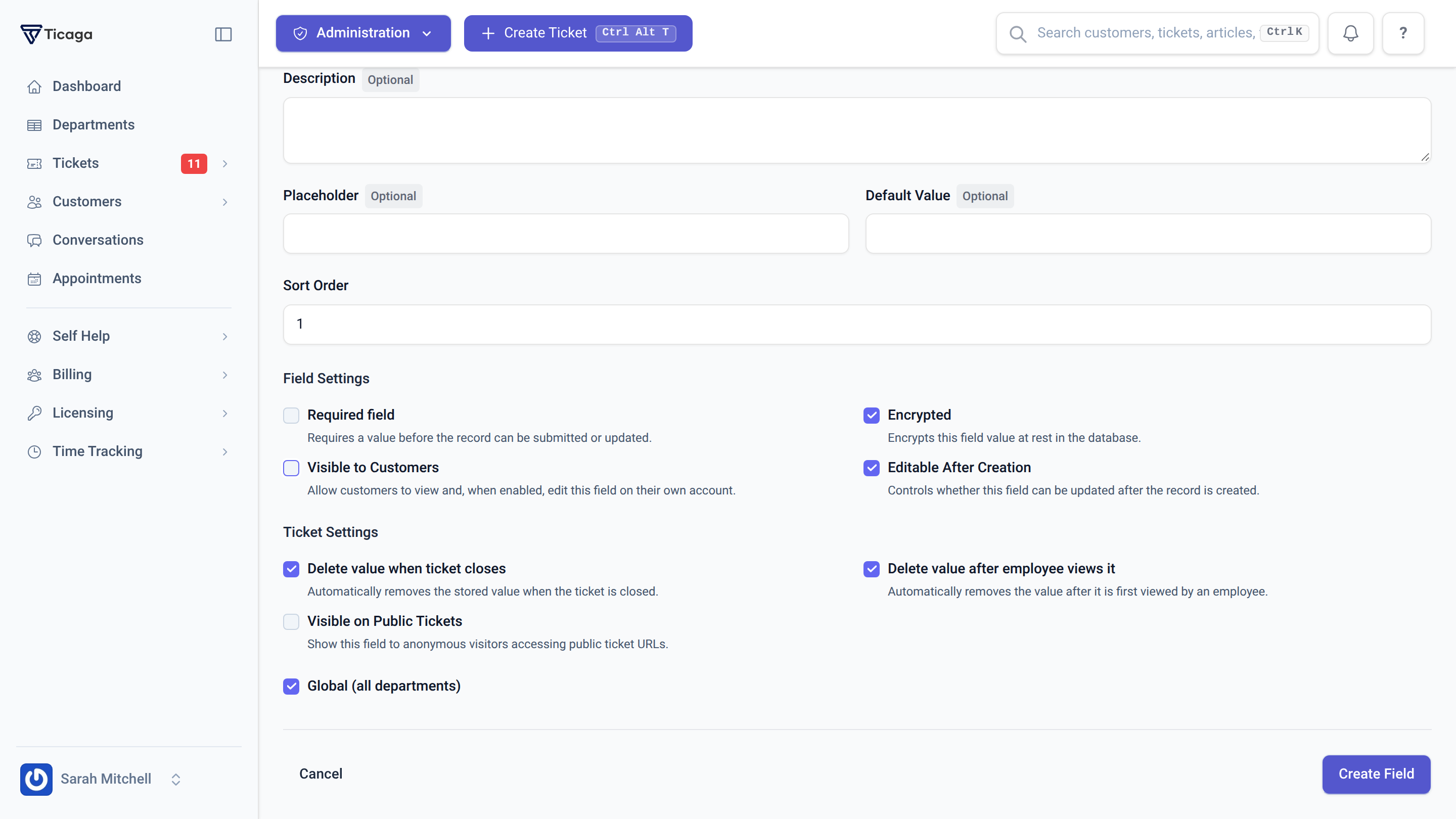
Field-level encryption for sensitive details.
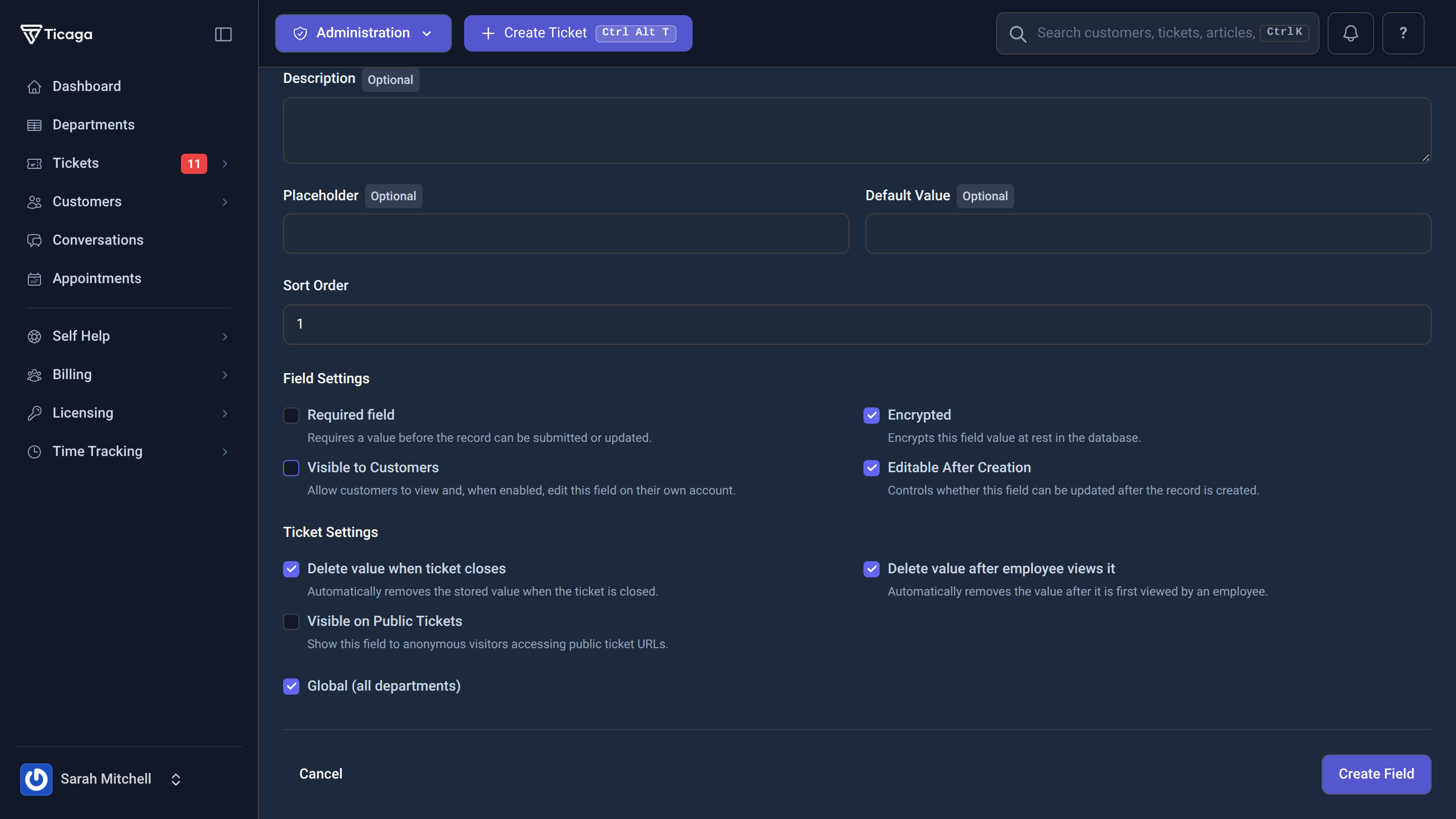
Mark any custom field as encrypted and its value is stored with AES-256 using a key unique to your installation. Staff see it masked unless they have permission to reveal it, and reveals are logged.
- Password-type fields are always encrypted
- Delete the value automatically when the ticket closes
- Or delete it once an employee has viewed it
- Separate permissions for viewing masked values, viewing plaintext and editing
Not all data is encrypted by the application. Ticket content, customer records and attachments rely on the security of the database, disks and backups you run. Encrypting those is part of your hosting setup.
An audit log that shows if it's been changed.
Each audit entry is linked to the one before it in a SHA-256 hash chain, so a deleted or altered entry can be detected when the chain is verified. Once a day, when the scheduler is running, Ticaga emails the latest checkpoint hash outside the database so you have an independent reference to verify against.
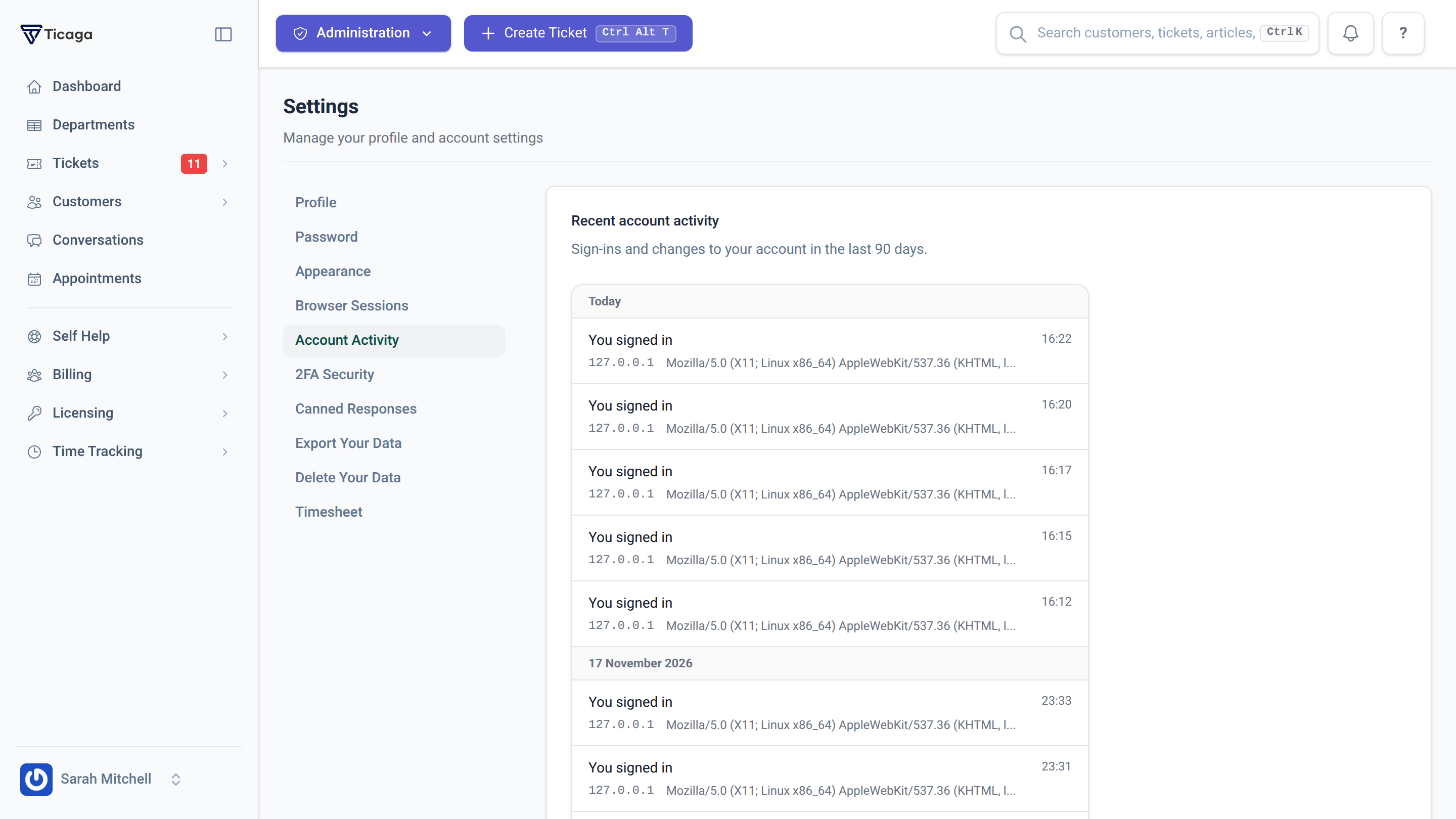
- Records sign-ins, permission changes, impersonation and settings changes
- Users can review their own account activity for the last 90 days
- You choose what is recorded and how long each group of entries is kept
- Export the log for your own review or for an auditor
Your server. Your database.
Your customers' data.
Ticaga runs on infrastructure you control, such as your own hardware, a server you rent, or Docker. Tickets, customer records and conversations are stored in your own MySQL or MariaDB database, and where it's hosted is your decision. Ticket attachments are stored outside the public web folder and served through access checks or signed links.
Ticaga connects out to check your licence and look for updates, and to any integrations you switch on. Your customer records are stored in your own database, not on Ticaga's servers.
Tools for data subject requests,
inside the helpdesk.
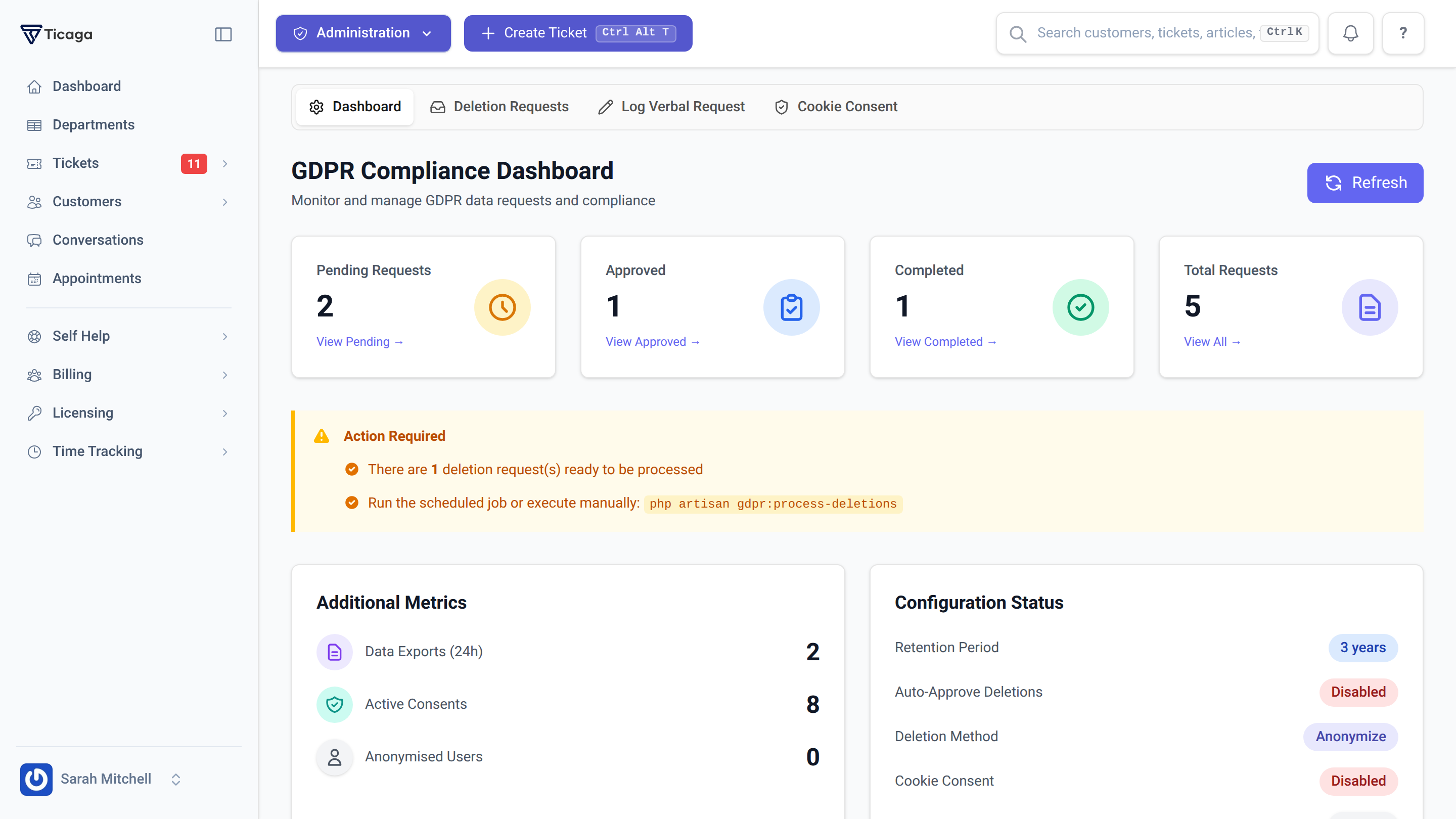
With the GDPR Toolkit, customers can request a copy of their data or ask for it to be deleted themselves. Your team reviews each request and keeps a record of how it was handled. These tools support your own GDPR process. Using them doesn't by itself make an organisation compliant.
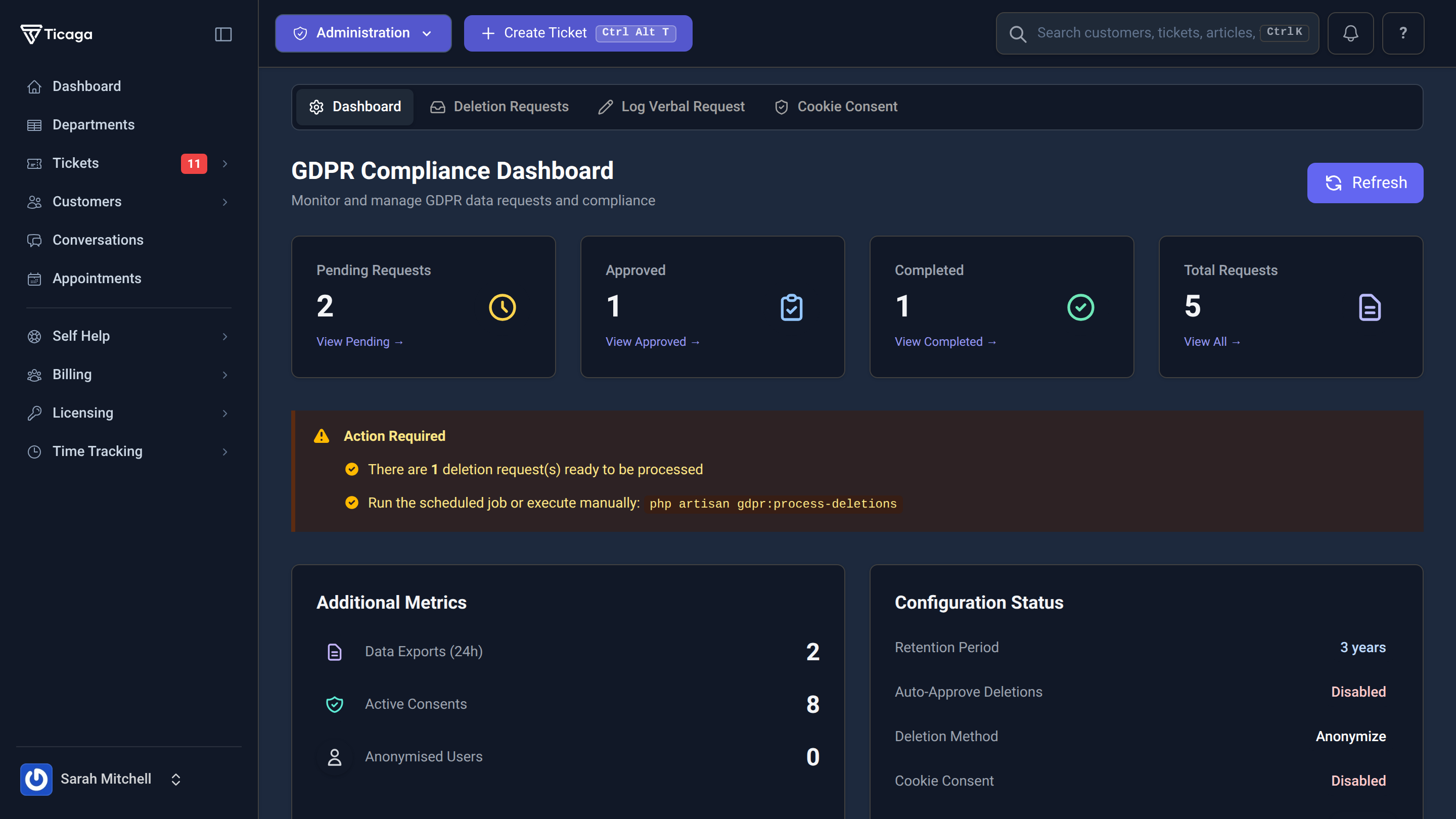
Consent
A cookie banner holds back tracking scripts until consent is given. It can show to visitors in the EEA and UK only, and consents and withdrawals are recorded.
Exports
Customers can export the data Ticaga holds about them, including their profile, tickets and replies. Download links need both a token and a signed-in account, and they expire.
Erasure
Approved deletion requests are anonymised by default. Requests made by phone or letter can be logged too, and connected third parties can be notified.
Retention
Retention periods are applied by scheduled jobs, so the cron job must be running. These cover audit logs, removed attachments and old public ticket links.
Attachments are checked, not trusted.
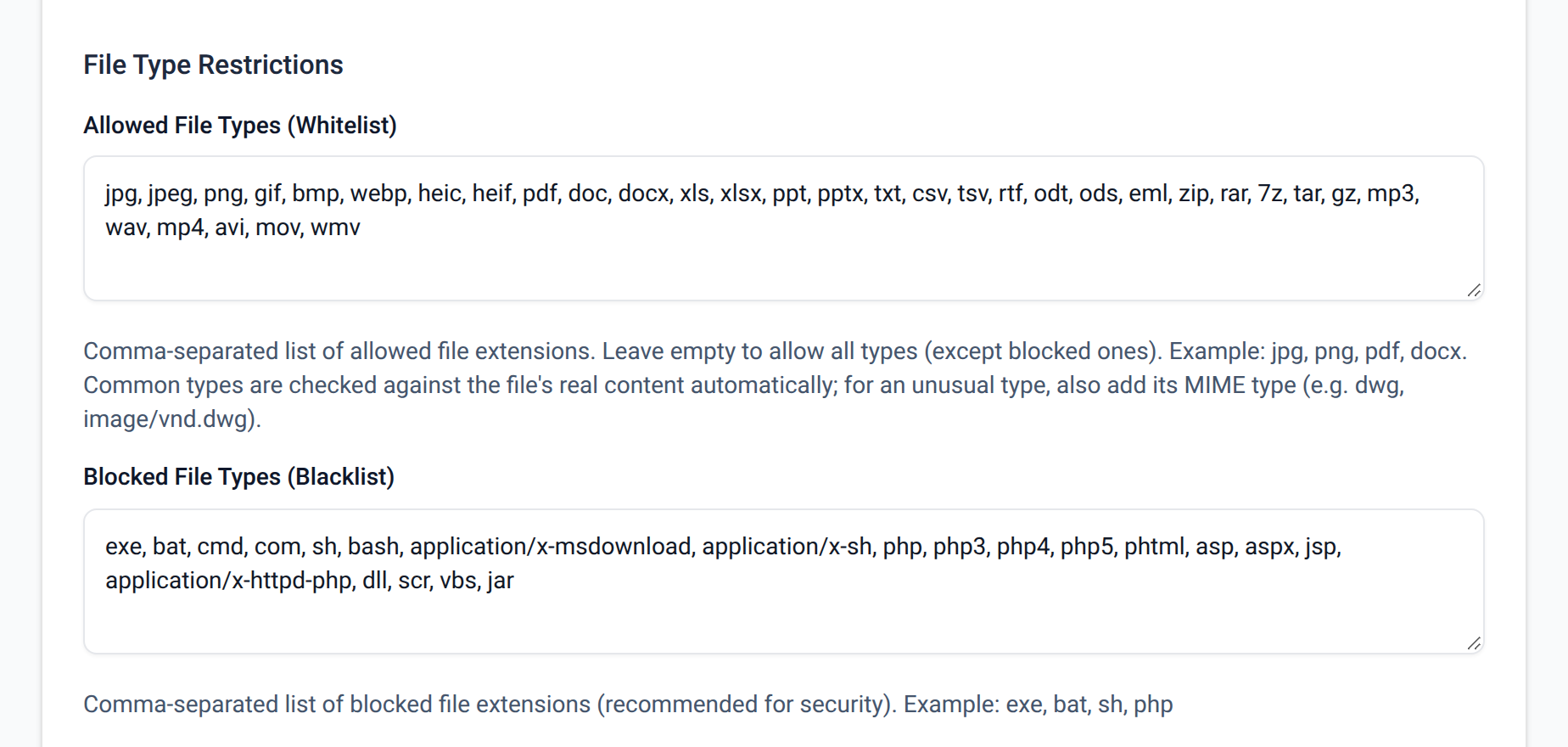
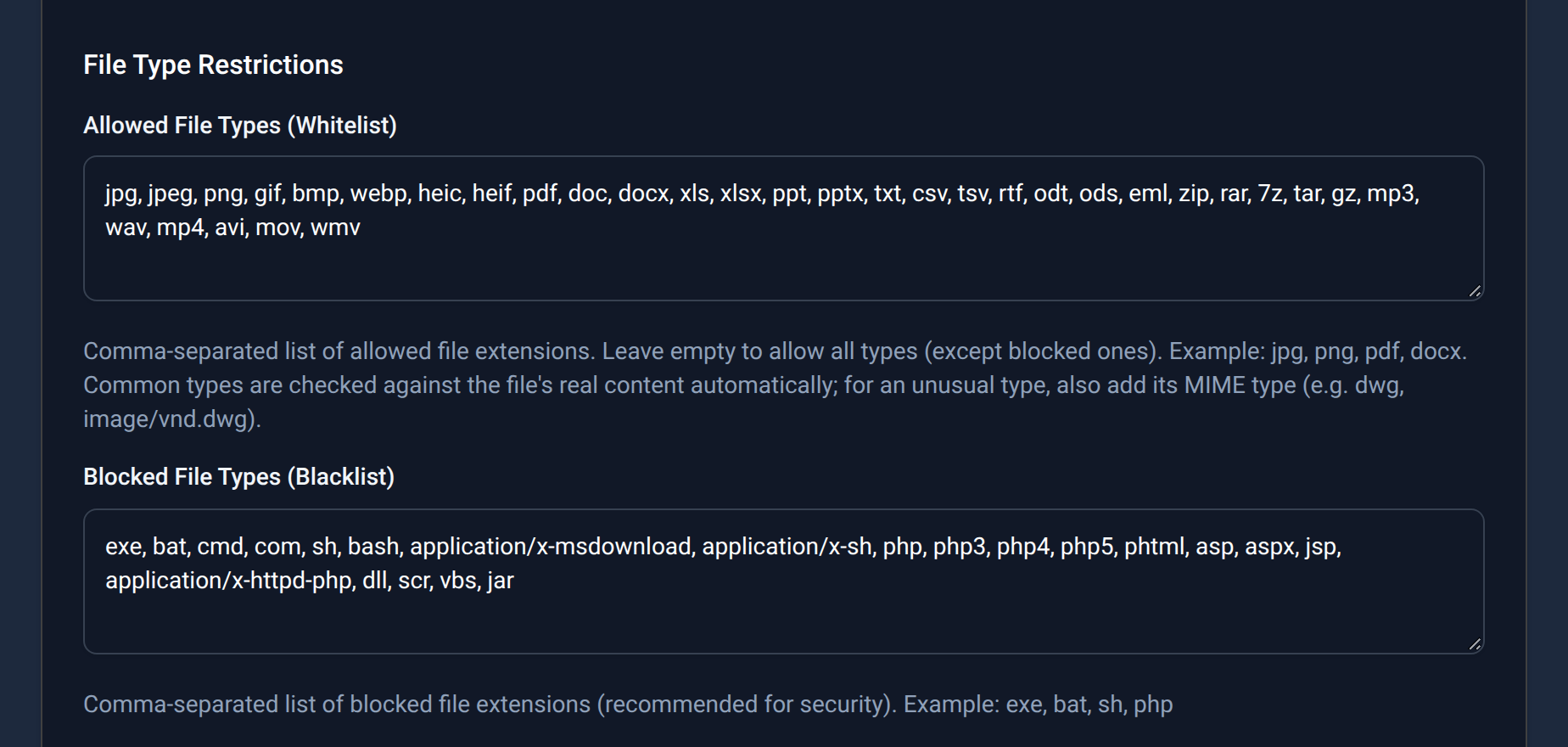
Ticaga checks what a file actually contains, not just its name. A script renamed to .jpg is rejected. Executables, PHP, shell scripts, HTML and SVG are rejected by built-in checks, whatever your allow list says.
- Allow and block lists, set globally or per department
- Limits on file size, files per ticket and storage per user
- Ticket attachments are stored outside the public web folder and downloaded through signed links that expire (60 minutes by default)
- Optional ClamAV scanning: when it's installed and switched on, new attachments can't be downloaded until they're scanned clean. If the scanner is unavailable, they're held rather than released
Protections that are
on from the start.
These are built in and switched on by default.
CSRF protection
Forms and actions require a CSRF token. A small number of endpoints that can't carry one, such as payment webhooks and the chat widget, are exempt. Payment webhooks are verified by signature instead.
Security headers
A Content-Security-Policy that limits where scripts, styles and frames can load from, plus HSTS, frame protection, nosniff, a strict Referrer-Policy and a locked-down Permissions-Policy.
Input sanitisation
Ticket content passes through an HTML sanitiser with a strict allow-list. Malicious links are stripped, and messages are checked for spam and moderation rules.
Rate limiting
Login attempts, passkey and two-factor challenges, the API, public ticket pages and widgets have rate limits, applied per user or per IP address.
Trusted hosts
Ticaga rejects requests for host names other than your own domain and your brands' domains. This helps protect password reset links from Host-header poisoning.
Protected installer
The web installer only opens with a one-time setup token, and the demo login exists only on demo builds.
Signed and verified
before Ticaga acts on it.
Licences, extension packages, updates and payment webhooks are checked with cryptographic signatures.
Payment security
With Stripe Checkout, card details are entered on Stripe's own form, so card numbers never reach your server. Gateway webhooks are verified before they're processed, and gateway credentials are encrypted.
- Stripe signature verification
- PayPal server-side webhook verification
- GoCardless HMAC-SHA256
- HMAC-chained billing audit trail
Licence & extension integrity
Licences are signed with Ed25519 and verified on your own server against your installation and domain, without needing to contact us on each request. Extension packages carry an RSA-SHA256 signature, and each file's hash is checked.
- Public keys built into the release
- Licences with an invalid signature are rejected
- Extension files that fail hash checks are rejected
Signed updates
From version 2.8.0, releases are signed. The built-in updater checks the signature and the package's SHA-256 hash before installing.
- Refuses downgrades and revoked releases
- Automatic backup before every update
- Roll back within 7 days
- Core file integrity checks in System Health
Webhooks Ticaga sends to your systems are signed with HMAC-SHA256 over a timestamp and the body. They include X-Ticaga-Signature and X-Ticaga-Timestamp headers, and you can rotate the secret without downtime.
Found a vulnerability?
We want to hear about it.
We work with independent security researchers through our own bug bounty programme. Please report suspected vulnerabilities there, not through public channels.
Security fixes are distributed as signed releases through the built-in updater.
The same programme runs on our Bug Bounty extension. Use it to publish your own scope, triage reports and reward researchers from your Ticaga installation.
Bug Bounty extension →Recommended practice
for your installation.
Because Ticaga is self-hosted, keeping it secure is shared between you and us. The installer handles much of this for you. The checklist below covers the rest.
Security in Ticaga,
area by area.
A summary of the software's security features, for security reviews and vendor questionnaires.
This page describes features of the Ticaga software. It doesn't describe the operational practices of a particular installation or hosting provider, such as data residency, disk and backup encryption, penetration testing, staff training, incident response, availability or subprocessors. Those depend on how and where Ticaga is deployed. Nothing on this page claims or implies ISO 27001, SOC 2 or PCI DSS certification, or compliance with GDPR, NIST or any other standard.
See the security features
for yourself.
Try the live demo, or ask us anything your security review needs answered.